
The year 2025 has ushered in a new wave of cutting-edge laptops that push the boundaries of performance, portability, and innovation. In this comprehensive roundup, we highlight the top 10 laptops of 2025 each with full specifications and a performance rundown. Whether you’re looking for an ultra-light productivity machine, a gaming powerhouse, or a long-lasting workhorse, these best laptops of 2025 have you covered. Read on to discover what makes each of these notebooks stand out, including their key specs, benchmark results, and unique features that define the laptop specs and performance in 2025.
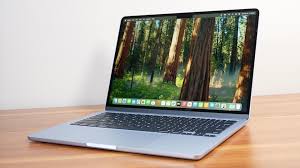
Apple MacBook Air 13-inch (M4, 2025) Best Overall Laptop of 2025:
Why It’s Cutting-Edge: Apple’s MacBook Air with the M4 chip is widely regarded as the best overall laptop of 2025, delivering a remarkable balance of performance and battery life in an ultra-slim design. Thin, fanless, and now more affordable, the MacBook Air M4 sets a new standard for mainstream laptops.
Specifications: Under the hood, it packs an Apple M4 10-core CPU with integrated GPU, 16GB of unified RAM, and a fast 512GB SSD (base config). The 13.6-inch Liquid Retina display (2560×1664) is bright and color-accurate, though limited to 60Hz refresh. Despite the powerful internals, the Air is only 0.44 inches thin and weighs about 2.7 pounds – perfect for on-the-go productivity.
Performance & Battery: The M4 chip delivers a leap in performance over its predecessor. In benchmarks, the MacBook Air M4 scored 14,849 in Geekbench 6 – well above the premium laptop category average. It even handled intensive tasks (like 4K video transcoding) much faster than the previous M3 model, closing the performance gap with heavier Pro laptops. Despite its power, the MacBook Air M4 impresses with endurance: it lasted 15 hours 42 minutes in Laptop Mag’s battery test. (For context, Apple rates it up to 18 hours of wireless web use.) This means all-day productivity without hunting for an outlet.
Features & Design: Apple didn’t overhaul the Air’s design in 2025 – and it didn’t need to. The unibody aluminum chassis feels premium and now comes in a new Sky Blue color option, alongside classic silver, starlight, and midnight shades. The keyboard remains comfortable and the new 12MP Center Stage webcam is a notable upgrade, delivering one of the sharpest video call experiences in any laptop. The main limitation is the port selection: just two Thunderbolt 4/USB-C ports (plus a MagSafe 3 charging port). You might need dongles for HDMI or USB-A devices. Still, with its blend of performance, long battery life, and a starting price of $999 (finally returning to that price point, with 16GB RAM standard), the MacBook Air M4 is the cutting-edge laptop most people should consider first.
Acer Swift Go 14 – Best Budget Laptop of 2025:
Why It’s Cutting-Edge: The Acer Swift Go 14 proves that a budget laptop can feel premium and perform like a pricier machine. Starting around $749 (often on sale for less), it delivers incredible value with a powerful new Intel processor, a solid build, and a plethora of ports – making it the best laptop you can get on a budget in 2025.
Specifications: The Swift Go 14 comes equipped with an Intel Core Ultra 7 155H CPU (Intel’s latest high-performance 15-core processor for thin laptops) and integrated Intel Arc graphics. Our highlighted configuration includes 16GB RAM and a 1TB SSD, ensuring smooth multitasking and ample storage. The laptop has a 14-inch 1920×1200 IPS display (16:10 aspect ratio for extra vertical space). While the base 1080p screen is sharp, it covers ~79% DCI-P3 color gamut – decent but not as vibrant as an OLED. (There’s also a 2.8K OLED display option if you prefer richer colors and higher resolution.) Physically, the Swift Go’s all-aluminum chassis is impressively thin and light at 2.9 lbs. Despite its portability, Acer managed to include extensive ports: 2 x Thunderbolt 4 USB-C, 2 x USB-A, HDMI 2.1, microSD slot, headphone jack, and even a Kensington lock slot. No dongles needed here – a rarity in modern ultrathins.
Performance & Battery: This laptop’s performance punches above its price. In tests, the Swift Go 14’s Core Ultra processor scored 12,434 in Geekbench 6.2, edging out more expensive rivals like last year’s MacBook Air M3 (12,087). It also blazed through video encoding: converting a 4K video to 1080p in 5 minutes 18 seconds, which is nearly four minutes faster than the average thin-and-light (and faster than the MacBook Air M3’s 7:54). This means speedy productivity for tasks like compiling code or editing videos. The trade-off for that power is battery life – the Swift Go 14 achieved 9 hours 50 minutes in battery tests. That’s respectable for a work day, though it falls well short of ultraportable leaders like the MacBook Air (15+ hours) or Asus’s OLED Zenbook (15+ hours). Still, ~10 hours is enough for a full day of moderate use, and improved over past Acer models.
Features & Build Quality: The Swift Go doesn’t feel like a budget laptop. Its metallic shell has a subtle sparkle, giving it a premium look. The backlit keyboard is comfortable for typing, and the 1080p webcam is surprisingly good – handy for remote classes or meetings. Acer even integrated a basic neural processing unit (NPU) that boosts AI performance for tasks like background noise reduction, which is forward-thinking at this price. The few compromises are minor: the downward-firing speakers are weak (you’ll want headphones for music/movies), and the base screen could be a bit more colorful (though it gets fairly bright at 374 nits, above average for its class). Overall, the Acer Swift Go 14 offers an unbeatable mix of performance and features for the money. If you’re after the top affordable laptop of 2025, this is it.
Asus Zenbook 14 OLED (Q425M) – Best Student Laptop of 2025:
Why It’s Cutting-Edge: The Asus Zenbook 14 OLED Q425M earns top marks as a student laptop by combining robust performance, incredible battery life, and an immersive OLED display into a compact package. It’s a laptop that can last all day on campus, handle demanding coursework, and provide entertainment after class – all without breaking the bank.
Specifications: This Zenbook is powered by an Intel Core Ultra 7 155H processor with Intel Arc graphics, paired with 16GB of RAM and a 1TB SSD for speedy storage. Its standout feature is the 14-inch OLED display (1920×1080). The OLED panel delivers true blacks and vibrant colors that make streaming and creative work a joy. It’s also easy on the eyes during late-night study sessions. (Color coverage is around 79.8% DCI-P3, which is decent, though some premium OLED panels go higher.) The Zenbook 14 has a sleek ultrabook build – about 0.6 inches thin and 3.0 lbs light. It’s portable enough to slip into a backpack and sturdy enough to handle daily commute. Bonus points: Asus includes a webcam privacy shutter for security, and the laptop meets MIL-STD-810H durability standards, meaning it can survive knocks and bumps of student life.
Performance & Battery: Don’t let its size fool you – this Zenbook packs a punch. The Core Ultra CPU puts it on par with many larger laptops for everyday productivity and even light content creation. In fact, it edged out the MacBook Air M3 on some tests: scoring 12,707 in multi-core Geekbench 6.2 (vs 12,087 for the Mac), and completing a 4K-to-1080p video transcode in 6 minutes 36 seconds (over a minute faster than the MacBook Air M3’s time). This means it can handle multitasking, coding, and editing tasks with ease. One of the most impressive aspects is its battery life: the Zenbook 14 OLED lasted 15 hours 52 minutes in Laptop Mag’s battery test. That’s nearly 16 hours on a charge – truly all-day battery life, outlasting many competitors and making it ideal for students who may go class-to-class without charging. Few laptops in 2025, regardless of price, hit that kind of longevity.
Features for Students: The Zenbook’s keyboard is comfortable and responsive – great for typing notes or essays. The audio system is also above average, providing clear sound for online lectures or music playback. Despite the powerful internals, the cooling is efficient; the chassis can get warm under load but it’s manageable (it can run a bit hot after long use, so a cooling pad might help if using on lap for hours). One minor downside is the screen’s brightness maxes out around 339 nits. It’s fine indoors, but can be a bit dim in direct sunlight – something to note if you like studying outside. Overall, the Asus Zenbook 14 OLED hits the sweet spot for a student laptop: durable, long-lasting, performant, and reasonably priced. It’s a notebook that can easily last through four years of college and beyond.
Asus Zenbook S 14 (UX5406) – Best Ultraportable Windows Laptop of 2025:
Why It’s Cutting-Edge: The Asus Zenbook S 14 UX5406 represents the pinnacle of ultraportable Windows laptops in 2025. It merges a featherlight design with powerful hardware – including AI-enhanced features – to deliver a no-compromise mobile computing experience. If mobility is your priority, this is one of the best ultrabooks of 2025.
Specifications: The Zenbook S 14 (2025) is built around Intel’s new Core Ultra 7 258V processor, part of Intel’s AI-boosted CPU lineup. This chip includes a dedicated NPU (Neural Processing Unit) branded as Intel AI Boost, which accelerates AI tasks on the laptop. Alongside the CPU, it has 32GB of RAM and a 1TB SSD, an impressive memory and storage combo for an ultrathin machine. Graphics are handled by integrated Intel Arc (140V) graphics, which are sufficient for everyday use and light creative work. The display is a stunner: a 14-inch 3K OLED touchscreen (2880×1800) with a smooth 120Hz refresh rate. This panel offers vivid colors (covering ~82% DCI-P3 – excellent for OLED which typically reads lower on that metric) and fast response times. Despite the high-res OLED, the laptop manages great efficiency. The chassis is incredibly thin at about 0.47 inches and weighs only 2.6 pounds. One standout feature: unlike many ultraportables, the Zenbook S 14 doesn’t skimp on ports. You get 2 x Thunderbolt 4 USB-C, 1 x USB-A 3.2 Gen2, 1 x HDMI 2.1, plus a 3.5mm audio jack. This wide port selection means you won’t immediately need adapters for most peripherals – a welcome advantage over, say, the port-limited Dell XPS 13 or MacBook Air.
Performance & Battery: The combination of the Core Ultra CPU and the abundant RAM makes multitasking effortless. Office apps, web browsing with many tabs, and even AI-driven applications run smoothly. In battery tests, the Zenbook S 14 clocked 13 hours 51 minutes, which is exceptional for a Windows 11 laptop with a high-res OLED screen. Nearly 14 hours means you can leave the charger at home for a full work day or even a long flight without worry. Performance-wise, it’s competitive, though in pure speed it might trail some heavier performance machines (for instance, its Geekbench scores are a bit behind larger laptops with H-series CPUs or Apple’s M4). But for its class, it’s more than capable. The snappy 120Hz display also makes every interaction feel fluid, from scrolling through documents to light gaming. Speaking of which, while this isn’t a gaming laptop, it can handle casual games or older titles at lower settings. Thermals are well-managed thanks to Asus’s use of a new Ceraluminum alloy in the chassis that helps dissipate heat and resists scratches.
Design & Features: With a sleek dark finish and eco-friendly materials (Asus emphasizes recycled metals in construction), the Zenbook S 14 looks as good as it performs. It has a US MIL-STD 810H rating for durability, so it’s tough enough for travel. The keyboard is the only slight letdown – it’s a shallow chiclet-style keyboard that some users find a bit mushy and low-travel. It’s still perfectly usable, just not as tactile as, say, a ThinkPad keyboard. The webcam is a standard 1080p which is fine, but can appear grainy in low light. On the plus side, the Zenbook’s speakers are loud and clear, punching above their weight for a thin device. Ultimately, the Asus Zenbook S 14 UX5406 is a triumph of engineering – offering nearly everything a professional on the move could want: speed, longevity, great visuals, and portability, all in one of the cutting-edge Windows laptops of 2025.
Apple MacBook Pro 16-inch (M4 Pro, 2024/2025) – Best High-Performance Laptop of 2025:
Why It’s Cutting-Edge: Apple’s 16-inch MacBook Pro (M4 Pro/M4 Max) is the reigning champion when it comes to high-performance, creative-workstation laptops in 2025. It delivers unmatched processing power and record-breaking battery life, making it the laptop to beat for professionals. This is the machine for video editors, software developers, 3D artists, and anyone who needs desktop-class performance in a portable form factor.
Specifications: At its heart, the MacBook Pro 16 (2024 model, which carries through 2025) features Apple’s M4 Pro or M4 Max chip. The M4 Pro in our example has a 14-core CPU and 20-core GPU, while the M4 Max ups that to a 16-core CPU and massive 40-core GPU for extreme graphics tasks. Memory is unified and can be configured from 16GB up to 128GB (!) for the Max – enough for huge datasets or 8K video editing. Storage options range from 512GB to 8TB SSD. The display is Apple’s gorgeous 16.2-inch Liquid Retina XDR panel (3024×1964), which uses mini-LED tech to achieve high brightness and contrast. It’s one of the brightest laptop screens, ideal for HDR content creation. The MacBook Pro 16 is not slim by ultraportable standards, but at 0.66 inches thick and ~4.7 lbs it’s still impressively sleek for the power it packs. It includes a robust set of ports: 3 x Thunderbolt 4, HDMI 2.1 (now supporting up to 8K displays), an SDXC card slot, MagSafe 3 charging, and a headphone jack. Basically, it has all the connectivity a creator needs without adapters.
Performance & Battery: This laptop’s performance is in a class of its own. The M4 Pro chip scored 22,822 in Geekbench 6 multi-core – more than double the average premium laptop score, and even topping many desktop PCs. In real terms, it chews through tasks: our test unit transcoded a 4K video to 1080p in just 2 minutes 38 seconds, over twice as fast as the category average and significantly faster than powerful Windows rivals like the Asus ProArt or Lenovo’s latest Yoga Pro workstations. For developers, compiles and simulations fly; for designers, rendering is a breeze. Yet, the most astonishing metric is battery life. Despite that performance, the 16-inch MacBook Pro lasted 20 hours 46 minutes in battery rundown tests. Yes, nearly 21 hours on a charge – a figure unheard of for a laptop this powerful. It’s 7+ hours longer than the average premium laptop, and it even outlasts smaller competitors; e.g., it beats the 14-inch MacBook Pro M4 (~18.5 hours) and absolutely dwarfs most Windows mobile workstations that struggle to hit 10 hours. This means you can actually do heavy work on battery for extended periods a huge advantage if you’re, say, editing video on a flight or working on-site without power.
Professional Features: The MacBook Pro’s mini-LED display is capable of ~1,600 nits peak brightness (HDR) and offers excellent color accuracy (supporting the P3 gamut). It’s one of the best screens for content creators. The six-speaker sound system provides rich, balanced audio with some bass great for multimedia or music production. The 1080p FaceTime webcam is very clear, and the Studio-quality mics ensure you have top-notch audio for calls or recordings. Apple’s build quality shines: the chassis is rigid aluminum, the keyboard is comfortable (with scissor-switch keys and that satisfying feel), and the large Force Touch trackpad remains the best in class. On the downside, all this excellence comes at a price literally. The M4 Pro model starts at $2,499, and fully maxing an M4 Max config can exceed $7,000. Upgrades (like more RAM or SSD) are costly, so choose wisely for your needs. Also, this is a Mac, so if your workflow relies on Windows-only software, that could be a limitation (though you could run Windows VMs or use alternatives). It’s also not aimed at gaming – while the M4 can run many games well and Apple is improving Mac gaming, it still lags far behind Windows gaming laptops in sheer game library and GPU driver optimization. But for everything else, the MacBook Pro 16 M4 Pro/M4 Max is virtually unrivaled. It’s the high-performance cutting-edge laptop to beat in 2025, delivering powerhouse capabilities without compromising on battery or build quality.
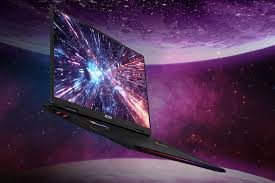
MSI Raider 18 HX AI – Best Gaming Laptop of 2025:
Why It’s Cutting-Edge: The MSI Raider 18 HX AI is an absolute beast of a gaming laptop – essentially a desktop replacement that can go toe-to-toe with the most powerful rigs. Dubbed “Raider” for a reason, it raids and conquers the performance charts, packing top-tier silicon including Intel’s new HX processor with AI enhancements and Nvidia’s flagship GPU. If ultimate gaming performance is what you seek in 2025, the Raider 18 HX AI stands at the apex.
Specifications: This machine’s spec sheet reads like a gamer’s dream. It sports an Intel Core Ultra 9 285HX processor a 24-core (8P+16E cores) chip rated at a whopping 5 GHz+ with an integrated NPU for AI tasks. For graphics, it houses an Nvidia GeForce RTX 5080 with 16GB GDDR6 VRAM. The RTX 5080 is Nvidia’s latest top-of-the-line mobile GPU (5000 series), capable of high frame rates with ray tracing in modern titles. Backing these up is 64GB of DDR5 RAM and a massive 4TB NVMe SSD – meaning you won’t lack memory or storage for your game library. The Raider’s display is equally impressive: an 18-inch 4K (3840×2160) Mini-LED panel at 120Hz. This screen gets extremely bright and offers vivid colors (covering 83% DCI-P3) with the deep contrast of mini-LED so games look fantastic. The only catch: 4K resolution at 18” means pushing the GPU hard; many gamers might opt to run at 1440p or 1080p for higher FPS, but the option for 4K detail is there. The laptop is big: as an 18-inch chassis, it weighs about 5.1 lbs (2.3 kg). (Surprisingly, 5.1 lbs is lighter than some older 17-inch gaming laptops MSI has trimmed weight, but it’s still not meant for true portability.) It has a full-size per-key RGB keyboard (with a satisfying “bouncy” key feel) and an array of ports including USB-C/Thunderbolt 4, multiple USB-A, HDMI 2.1, DisplayPort, Ethernet, and more all the connectivity needed for a battlestation setup.
Performance & Gaming: In one word: dominant. The Raider 18 HX AI plows through games and heavy workloads. In real gaming benchmarks, it achieved 153 FPS in Assassin’s Creed: Mirage at Ultra 1080p settings. That outpaced other elite rigs like the Razer Blade 16 (which got ~120 FPS) and even beat the desktop-class Gigabyte Aorus 16 (145 FPS) in the same test. Even in the notoriously demanding Cyberpunk 2077 (Ultra settings), the Raider managed 64 FPS, edging out competitors (the Blade hit 66 FPS, Aorus 62 FPS). These numbers mean you can play any modern AAA game at high or max settings, often well above 60fps, taking full advantage of high-refresh displays. Beyond gaming, the 24-core CPU is a multitasking monster – excellent for streaming while gaming, 3D rendering, or running AI models locally. However, like any extreme gaming laptop, it has trade-offs. The dual fans can get loud under load (you’ll hear a noticeable whoosh during intense gaming) and the chassis will run hot, particularly around the exhaust vents. This is a laptop best used on a desk (the name “desktop replacement” is apt). Also, battery life is almost a moot point – expect roughly 2 to 3 hours of light use, and under 2.5 hours when doing any gaming. Essentially, away from an outlet, this beast snoozes quickly; the battery is mostly for moving it from one plug to another.
Design & Extras: The Raider 18 has an attractive, if somewhat flashy, design. It features an RGB light bar on the front and extensive keyboard lighting, which can be configured per-key. The build is robust – a mix of metal and high-quality plastic – but to accommodate the powerful components and cooling, it’s thicker than everyday laptops. On the plus side, the spacious chassis allowed MSI to include a powerful 6-speaker sound system that produces loud and rich audio (you can actually game or watch movies without immediately grabbing headphones). You also get a 1080p webcam (with IR for Windows Hello). Given its premium positioning, the Raider 18 HX AI is very expensive – even the base model costs more than many high-end laptops (think in the $3,000+ range), and maxing out specs goes well beyond that. But for that investment, you’re getting arguably the most powerful laptop of 2025 in terms of raw performance. For enthusiasts and gamers who demand the best and are willing to pay for it (and carry it), the MSI Raider 18 HX AI is the ultimate cutting-edge choice.
Asus Vivobook 16 Flip (TP3607) – Best 2-in-1 Laptop of 2025:
Why It’s Cutting-Edge: The Asus Vivobook 16 Flip brings the 2-in-1 convertible category to new heights in 2025. It flexes both literally (with its 360° hinge allowing tablet and tent modes) and figuratively, by offering a gorgeous 16-inch OLED touchscreen and impressively long battery life. It’s an affordable big-screen convertible that earned an Editor’s Choice for packing high-end features into a versatile form.
Specifications: The Vivobook 16 Flip TP3607 is powered by an Intel Core Ultra 7 258V processor – the same capable chip seen in some premium ultrabooks – paired with Intel Arc 140V integrated graphics. It comes with 32GB of RAM and a 1TB SSD, ensuring smooth performance for multitasking, creative work, and even some light gaming. The star of the show is the 16-inch OLED touchscreen (2880×1800 resolution) with a 120Hz refresh rate. This 16:10 aspect ratio display is bright, vibrant, and supports stylus input – perfect for sketching or taking notes in tablet mode. The large screen real estate is fantastic for drawing or watching movies. The device weighs about 3.9 pounds and is 0.67-0.69 inches thick. That’s on the heavier side for a tablet mode device, but quite reasonable for a 16-inch laptop. Asus builds the Flip 16 with a sturdy hinge that holds the screen at any angle. For ports, it’s well-equipped: including Thunderbolt 4 USB-C, USB-A, HDMI, and a headphone jack – enough for most uses. One neat feature: it has an AI noise-canceling audio system and the speakers are tuned to be especially loud and clear in tent mode (where the keyboard acts as a stand) – great for media consumption.
Performance & Battery: The Core Ultra 7 and 32GB RAM give the Vivobook Flip plenty of muscle for everyday tasks and content creation. It’s noted for surprisingly good integrated graphics performance – while it’s no gaming laptop, the Intel Arc iGPU can actually handle casual gaming or older titles at 1080p Medium settings with playable frame rates. That’s an impressive feat for integrated graphics, making this one of the few 2-in-1s that can do a bit of gaming on the side. Where the Vivobook 16 Flip truly shines is battery life: it clocked 13 hours 47 minutes on Laptop Mag’s battery test. For a 16-inch OLED device, that is phenomenal – it outlasts many smaller laptops and means you can use it through a full work or school day (and then some) before reaching for the charger. This longevity, combined with the big screen, makes it fantastic for media binge-watching or long study sessions. The SSD is also very quick (Asus touts its “responsive SSD” and it showed in snappy boot and load times).
Versatility & User Experience: As a convertible, the Vivobook 16 Flip can adapt to various scenarios: laptop mode for typing, tent or stand mode for presentations or video, and tablet mode for writing or sketching. Despite its size, the tablet mode is usable (though 16 inches is a large tablet to hold; you might rest it on a table or your lap). The OLED panel makes reading and drawing enjoyable with its high contrast. Asus also smartly boosted the audio when in tent mode – reviewers noted the audio is powerful and full, making it ideal for watching videos in that configuration. The keyboard is the only area that got mixed feedback: it’s a bit mushy with a lack of tactile click, likely due to the convertible design’s slimness. It’s still fine for typing, just not the crispest feel. Also, the webcam (which is 1080p) had slightly off color reproduction – not a huge deal, but if you do a lot of video calls, an external webcam or correcting filters might be needed for perfect color. On the plus side, thermals are well-managed: even under load, the Flip 16 doesn’t get too hot to handle, and the fan noise stays relatively low. At around $1,200 (often on sale for less), the Asus Vivobook 16 Flip offers an outstanding bundle: big, beautiful OLED display, long battery, solid performance, and flexible form factor. It’s no surprise it earned high praise and an Editor’s Choice – it truly is one of 2025’s cutting-edge 2-in-1 laptops that proves you can have size and versatility in one device.
Samsung Galaxy Chromebook Plus – Best Chromebook of 2025:
Why It’s Cutting-Edge: The Samsung Galaxy Chromebook Plus shows that in 2025, even Chromebooks can be cutting-edge. This device offers a premium laptop experience ultra-thin design, AMOLED touchscreen, long battery life while running ChromeOS enhanced with new AI features. It’s arguably the best Chromebook of 2025, perfect for those who want simplicity without sacrificing quality.
Specifications: The Galaxy Chromebook Plus is built on an Intel Core 3 100U processor (a 14th Gen Intel chip, essentially a refined Core i3 designed for efficiency). It comes with 8GB of RAM and a 256GB SSD, which is generous for a Chromebook (most Chromebooks still come with 4GB and eMMC storage). The star component is the 15.6-inch Full HD AMOLED display. This screen is big, bright, and beautiful: colors are rich and saturated, covering an exceptional 108.5% of the DCI-P3 gamut, which actually outclasses many Windows laptops and even some MacBooks in color range. It’s also reasonably bright at ~377 nits, enough to use in well-lit environments. The Chromebook Plus is incredibly slim and light for a 15.6-inch laptop just 0.47 inches thick and 2.45 lbs. In fact, Samsung touted it as the thinnest and lightest in its class at launch. This makes it highly portable for a larger-screen device. It’s a fanless design (passively cooled), so it’s silent in operation. Port selection includes a couple of USB-C ports, a microSD slot, and headphone jack on par with other Chromebooks. It also has a 1080p webcam for video calls.
Performance & Battery (ChromeOS with AI): ChromeOS is lightweight, and the Core i3 chip handles it with ease. This Chromebook zips through everyday tasks – dozens of Chrome tabs, Android apps, and even Linux apps if you enable them. The “Plus” in the name also refers to Google’s ChromeOS Plus enhancements, which include integrated AI features (known as Google Gemini AI). This means you get things like built-in AI writing assistance, image editing suggestions, and other smart features right in the ChromeOS experience. In essence, the device is tuned to leverage AI to make productivity smoother. In benchmarks, the Galaxy Chromebook Plus scored 15,114 in Geekbench 6 (multi-core), which is very solid for a Chromebook and well above older models. It also outperformed most Chromebooks in web-based tests like Jetstream, indicating snappy web app performance. Battery life is good: about 11 hours 12 minutes of continuous web surfing in tests. While not the longest of all laptops, it’s better than most Chromebooks, which often average 8-10 hours. 11+ hours means it will easily last a full school or work day. This balance of performance and battery means you’re not trading endurance for that beautiful screen – you get both.
Design & Value: Samsung gave this Chromebook a very premium build. The chassis has a sleek aluminum finish and slim bezels around that expansive display. Typing on it is comfortable, and the large trackpad is smooth. The Chromebook Plus also supports a USI pen (though one isn’t included, if you want to do any stylus input, you can use a compatible pen). One of the goals of this device was to blur the line between Chromebooks and regular laptops, and it succeeds it doesn’t feel like a “cheap” secondary laptop at all. At around $699, it is pricier than basic Chromebooks, but still far cheaper than many Windows ultrabooks with similar hardware. That price gets you the premium OLED display and better specs. The value proposition is that for less than the cost of a mid-range Windows laptop, you get a machine that’s extremely fast for web-based tasks, secure (with automatic updates and virus protection of ChromeOS), and now enhanced with AI tricks. The only cons noted were: it’s still a bit expensive for a Chromebook (you’re paying for that OLED and thin design), and the 15.6″ form factor is “quite wide” meaning it’s ultra-thin but you’ll need a larger bag to carry it due to the footprint. However, if you need a big screen, that’s a trade-off. Ultimately, the Samsung Galaxy Chromebook Plus is the model to beat for ChromeOS in 2025 it demonstrates that cutting-edge laptops aren’t confined to Windows or Mac. ChromeOS users can enjoy a luxurious computing experience too.

Dell XPS 13 (9345) Snapdragon – Best Battery Life Laptop of 2025:
Why It’s Cutting-Edge: Dell’s XPS lineup has long been a trendsetter, and with the XPS 13 (9345), Dell embraced Qualcomm’s ARM-based Snapdragon X Elite chip to create a laptop with astonishing battery life and cool, silent operation. The result is a Windows laptop that challenges the MacBooks in efficiency. It’s the longest-lasting laptop of 2025 and showcases the potential of AI-enabled ARM processors in mainstream PCs.
Specifications: The XPS 13 (9345) looks similar to previous XPS models on the outside – a sleek, compact 13.4-inch ultrabook with a premium build. Inside, however, it’s very different. It’s powered by a Qualcomm Snapdragon X Elite processor (specifically the X1E-80-100 chipset). This is Qualcomm’s breakthrough chip aimed at high-performance computing, featuring 12 CPU cores (8 performance + 4 efficiency cores) and an integrated Qualcomm Adreno GPU for graphics. The unit comes with 16GB of RAM and a 512GB SSD, running Windows 11 (ARM edition) with full support for x86 app emulation. The display is a 13.4-inch panel at 1920×1200 resolution with a smooth 120Hz refresh rate. While it’s not OLED, it gets fairly bright and is touch-enabled on some configurations. The color gamut is around 66-67% DCI-P3 a bit underwhelming, meaning colors aren’t as rich as some competitors (this was one noted compromise for battery gains). The laptop is incredibly portable: just 0.6 inches thick and weighs 2.6 pounds. Being ARM-based, it’s fanless so it operates silently and stays cool. Connectivity includes 2 Thunderbolt 4/USB-C ports. Yes, only two ports (and no headphone jack), similar to a MacBook Air design philosophy. You might need a USB-C hub for more connectivity, but it keeps the profile clean.
Performance & Battery: The headline feature here is battery life. The XPS 13 (Snapdragon) achieves something we usually only see in much larger devices or never at all – it lasted 19 hours 1 minute in one test, and after a firmware update, pushed to 20 hours 51 minutes on a web browsing battery rundown. That’s almost 21 hours! To put it in perspective, that’s nearly double the premium Windows laptop average and even surpasses Apple’s M4 MacBook Air and rivals the MacBook Pro for longevity. This is a game-changer for users who need extreme battery endurance – think travelers, conference-goers, students with long days, etc. Now, what about performance? Early ARM Windows laptops had mediocre performance, but the Snapdragon X Elite is on another level. The XPS 13 posted a Geekbench 6 multi-core score of 14,635, which obliterates the premium laptop average (~8,900) and even beats many Intel and Apple chips like the MacBook Air M3 (12,087). That means everyday performance (web, Office apps, multimedia) is excellent. It also indicates the Snapdragon can handle heavier loads; indeed, it’s comparable to a mid-range Intel i7. However, not all tasks are equal – very intensive x86 emulated applications (like certain Adobe apps or games) can still lag behind native performance you’d get on x86 systems. But for most typical use, including some light coding or Photoshop, it’s more than sufficient. Plus, this XPS has AI capabilities: as a “Copilot+ PC,” it integrates Windows Studio Effects and other AI-powered features (like background blur, voice focus, etc.) leveraging the Snapdragon’s AI engine.
Design Trade-offs: The XPS 13’s design is minimalist and premium, as expected from Dell’s flagship line. The keyboard is edge-to-edge and comfortable, though due to the compact size some find it a bit cramped (especially if you have larger hands). The touchpad is smooth but also on the smaller side. One of the main drawbacks cited is the lack of ports just two USB-C. No dedicated charging port (it charges via USB-C), no traditional USB-A, and notably no headphone jack. Dell opted to remove it, assuming users will use Bluetooth or a USB-C audio solution, which isn’t ideal for everyone. Also, as mentioned, the display’s color is somewhat dull for creative work. If true color accuracy is needed, an external monitor or different model might be better. For general use, though, the screen is fine and has the bonus of 120Hz smoothness. On the plus side, the webcam is decent and even includes an IR sensor for Windows Hello face login (convenient for quick unlocks). The laptop’s build is sturdy, and thanks to no fans, it’s sealed with fewer moving parts. The combination of extreme battery life, silent running, and solid performance makes the Dell XPS 13 (9345) with Snapdragon a glimpse into the future of Windows portables. It’s arguably the cutting-edge laptop of 2025 in terms of efficiency. For those who value all-day (and all-night) battery and are fine with a couple of modern compromises, this XPS is a groundbreaking choice.
Asus ExpertBook P5 (P5405) – Best Business Laptop of 2025:
Why It’s Cutting-Edge: The Asus ExpertBook P5 is a no-nonsense business laptop that nails the essentials for professionals. It’s durable, secure, long-running, and even throws in some high-end perks like a 144Hz display. All of this comes at a relatively affordable price point. In 2025, it’s the laptop that means business offering everything a corporate user or entrepreneur could want without frivolous gimmicks.
Specifications: The ExpertBook P5 (model P5405) is configured with an Intel Core Ultra 7 258V processor a modern 14-core CPU that balances performance and efficiency, ideal for productivity workloads. It includes Intel Arc 140V graphics, which appears to be a low-power discrete GPU or enhanced integrated graphics solution with 16GB of its own VRAM. This gives the P5 a little extra graphics muscle for driving multiple displays or handling light graphical tasks (though it’s not a gaming GPU). It comes with 32GB of RAM and a 1TB SSD, ample for multitasking with large spreadsheets, databases, or virtual machines if needed. The display is quite unique for a business notebook: a 14-inch 2560×1600 IPS panel with a 144Hz refresh rate. The high refresh makes scrolling and animations ultra-smooth, and can reduce eye strain during long work sessions (Asus mentions it reduces flicker perceptibility). It’s also fairly bright at 465 nits, great for office lighting. The color coverage is a bit modest (around 70-80% DCI-P3, “somewhat dull” colors compared to an OLED), but for business tasks that’s acceptable. As a true business machine, the ExpertBook is built tough it meets MIL-STD-810H standards and has a spill-resistant keyboard. It’s lightweight at 2.84 lbs and just under 0.6 inches thick, so traveling with it is easy. Importantly, it has “every port imaginable”: Thunderbolt 4, USB-A, HDMI, Ethernet (via micro HDMI port that doubles as LAN port with an adapter), VGA (in some configs), and even a smart card reader, depending on model. That means in a business environment, you can connect legacy devices and projectors without fuss. It also includes a fingerprint sensor/power button combo and TPM 2.0 for security.
Performance & Battery: The Core Ultra processor and fast SSD yield strong productivity performance. In general usage, the P5 feels snappy – great for heavy multitasking across MS Office, web apps, and video conferencing. In lab tests, it scored 11,259 in Geekbench 6 overall, a bit above the premium laptop average. It’s slightly behind a few competitors like the Zenbook S 14 or MacBook Air M3 by under 10%, but those differences aren’t very noticeable in real-world use. The point is, it’s plenty fast for typical business workloads. The battery life is another highlight: the ExpertBook P5 clocked 14 hours 22 minutes in testing. Over 14 hours means it can handle extended work days or long flights with ease. While not the absolute leader (we saw the XPS above hit 20h, MacBook ~18h), it’s still in the top tier for Windows devices, and remarkable considering it has a high-refresh screen. That 144Hz display doesn’t drastically hurt battery life, thanks to efficient components and possibly the ability to switch down refresh rate when on battery. Additionally, Asus provides enterprise-grade battery management in its software to prolong battery lifespan (with charging caps, etc.).
Business Features: True to its purpose, the ExpertBook P5 focuses on reliability and user experience. The keyboard is comfortable and designed for heavy use, with keys that can withstand millions of presses. One minor quibble noted was the touchpad click – it felt a bit mushy for some users, not giving a crisp feedback on press. Many business folks use an external mouse anyway, but it’s something to be aware of. The laptop excels in thermals after prolonged use, it stays relatively cool to the touch, meaning it won’t cook your lap in a long meeting. It also has an excellent webcam for video calls: reviewers praised its color accuracy and sharp focus, which means you likely won’t need to carry a separate webcam for remote meetings. Another big plus: warranty. Asus includes an 3-year warranty with the ExpertBook P5 by default, often with options for next-business-day on-site service, which is a huge benefit for business continuity (no one wants to be down for long if their laptop needs repairs). Security-wise, beyond the fingerprint reader, it supports IR facial login and Kensington lock slot. Also, the machine is built to be easily serviceable/upgradable crucial for IT departments (RAM and storage are accessible). Given its focus on core functionality, the Asus ExpertBook P5 might not have flashy gimmicks, but it delivers where it counts: it’s durable, affordably priced for what it offers, and runs over 14 hours on a charge. It is indeed the best business laptop of 2025, ready to get the job done day in and day out.
Conclusion:
The cutting-edge laptops of 2025 demonstrate how far notebooks have evolved – from featherweight ultrabooks with marathon battery life to powerhouse gaming rigs that eclipse desktops in performance. This top 10 list of 2025’s best laptops showcases a device for every need: whether you’re a student needing all-day endurance, a creative professional demanding maximum horsepower, or a casual user who just wants a high-quality everyday machine. The common thread among these laptops is that they each excel in their category, offering full specs and performance that lead the pack.
In 2025, laptop technology has reached new heights we see AI integration in CPUs improving efficiency, OLED and mini-LED displays making visuals pop, and battery life that would have seemed impossible just a few years ago. As you consider your next laptop purchase, think about which features align most with your workflow: Do you need the best performance for content creation or gaming? Look at the MacBook Pro or MSI Raider. Longest battery life for travel? The Dell XPS 13 Snapdragon sets a new benchmark. A balance of everything in a cutting-edge, everyday notebook? Apple’s MacBook Air M4 and Asus’s Zenbook series are superb choices. And if you’re on a budget or prefer the simplicity of ChromeOS, there are cutting-edge options like the Swift Go 14 and Samsung’s Galaxy Chromebook Plus that don’t compromise on quality.
Each of these top 10 laptops of 2025 comes highly recommended and has been vetted by reviews and testing. Whichever you choose, you’ll be getting a state-of-the-art machine that showcases the very best of what 2025 has to offer in mobile computing. Here’s to finding the perfect laptop that meets your needs and keeps you productive and entertained for years to come!
External Links
Internal Links:
- Huawei nova Flip S launced see specifications. Huawei nova Flip S
- Apple Watch Edition Series 7 Apple Watch Edition Series 7
- Fuel prices in Pakistan: How they’re set, why hikes happen, and what it means for you
- Lifestyle and Living Environment: Healthy, Sustainable & Practical Urban Lifestyle Tips


Leave a Reply